

In an era where efficient communication can significantly impact a company’s success, businesses are continually seeking ways to improve their responsiveness and effectiveness. Reply automation software has emerged as a cornerstone tool, providing a much-needed solution to streamline communication processes. As we step into 2024, the landscape of reply automation tools is evolving with new capabilities and advancements. This blog will guide you through the top reply automation software to watch this year, offering insights into how they can elevate your business communications.
Understanding the Need for Reply Automation in 2024
Identifying Common Challenges in Manual Responses
Manual responses have been the conventional method of handling communication, but they come with their own set of challenges.
- Time-Consuming: Crafting responses manually can be tedious and often results in delays, especially when managing high volumes of emails.
- Lack of Consistency: Different team members might have varied styles, leading to inconsistent communication that might confuse clients or stakeholders.
- Human Error: Typographical errors and overlooked emails are common in manual processes, affecting professionalism and efficiency.
These challenges underscore the necessity for developing more systematic and automated solutions in the modern business world.
The Rise of AI and Automation in Business Communication
With advancements in technology, AI and automation have revolutionized business communication.
- Adaptability: AI can learn and adapt to different communication contexts, understanding the nuances of customer queries to provide accurate responses.
- Predictive Capabilities: Automation helps in predicting customer needs and preemptively addresses those, ensuring a responsive communication cycle.
- Continuous Improvement: AI-driven tools improve with time as they learn from past interactions, becoming more efficient and effective in handling queries.
This advent of AI and automation means organizations are better equipped to manage large volumes of communication without compromising on quality or speed.
Benefits of Implementing Automation in Email Replies
Implementing automation in email replies offers numerous advantages.
- Increased Productivity: Automation frees up employees from routine tasks, allowing them to focus on more strategic initiatives.
- Enhanced Client Experience: Quick and consistent replies enhance client satisfaction, building stronger relationships and trust.
- Cost Efficiency: By reducing the need for manpower dedicated solely to communication, businesses can redirect resources to areas that offer greater return on investment.
Reply automation is not just a tech trend; it is an integral part of business strategy that can significantly transform how organizations handle communication.
Top Reply Automation Software: 2024 Edition
Criteria for Choosing the Right Reply Automation Tool
When it comes to selecting the best reply automation software, several key criteria should guide your decision:
- Ease of Use: A user-friendly interface ensures quick adoption and reduces the learning curve for your team.
- Customization: The ability to tailor the tool to fit specific business needs is crucial for seamless integration.
- AI Capabilities: Advanced AI features such as natural language processing (NLP) and machine learning enhance response accuracy.
Selecting the right tool involves balancing these elements to fit your organization’s unique requirements.
Overview of the Best Email Reply Automation Software
As of 2024, several reply automation tools are gaining traction for their innovative features and reliability.
- Floworks.ai: Known for its AI-driven automation capabilities, Floworks.ai is making waves in how businesses handle email communications. The platform offers robust customization options and integrates seamlessly with other business tools.
- Aibdr.co: Aibdr.co stands out with its sophisticated AI algorithms that promise quick adaptation to varied business needs, ensuring precise and timely responses.
These platforms exemplify how reply automation software can be harnessed to achieve greater business communication efficiency.
Comparison of Free and Paid Options
For businesses considering reply automation software, understanding the cost implications is vital.
| Feature | Free Options | Paid Options |
|---|---|---|
| Basic Automation | Limited features, suitable for small-scale operations | Comprehensive features, ideal for scaling operations |
| AI Integration | Often basic or absent | Advanced AI capabilities |
| Customization | Limited to preset templates | Highly customizable, accommodating specific business needs |
| Support Services | Community support | Dedicated customer support with faster resolution times |
While free options may be adequate for startups or small businesses, paid options provide enhanced functionalities that align with complex organizational requirements.
Features to Look for in Reply Automation Tools
AI-Powered Features That Enhance Efficiency
When choosing a reply automation tool, AI-powered features can significantly amplify efficiency.
- Natural Language Processing (NLP): Facilitates understanding and generation of human-like responses, making interactions more personal and accurate.
- Predictive Text: Helps in forecasting the end of users’ sentences or queries, expediting the reply process.
- Sentiment Analysis: Assesses the tone and emotion behind messages, allowing for more tailored and empathetic responses.
These AI capabilities transform automated replies from mechanical to engaging, providing a more nuanced communication experience.
Customization Options for Business Needs
In a diverse business environment, one-size-fits-all solutions seldom succeed. Look for tools offering:
- Template Customization: Enables businesses to craft messages that align with their brand voice and communication style.
- Conditional Logic: Allows the creation of more complex decision trees, providing nuanced responses to varied client queries.
Customization ensures that automation tools can be seamlessly aligned with specific business processes and goals.
Integration Capabilities with Existing Systems
For a reply automation tool to be truly effective, it must integrate well with existing systems.
- CRM Compatibility: The ability to sync with customer relationship management systems ensures consistent and comprehensive communication records.
- Collaboration Tools: Integration with platforms like Slack or Microsoft Teams can streamline workflows and enhance cross-departmental communication.
Integration capabilities are crucial for maintaining a cohesive technology stack that supports the holistic operations of an organization.
By understanding these elements, businesses can make informed decisions about implementing reply automation tools, ensuring they support their communication objectives effectively.
Popular Use Cases for Reply Automation Solutions
Automating Customer Support Queries
One of the most impactful applications of reply automation software is in customer support. Given the repetitive nature of many customer inquiries, automated responses can drastically enhance service efficiency and satisfaction.
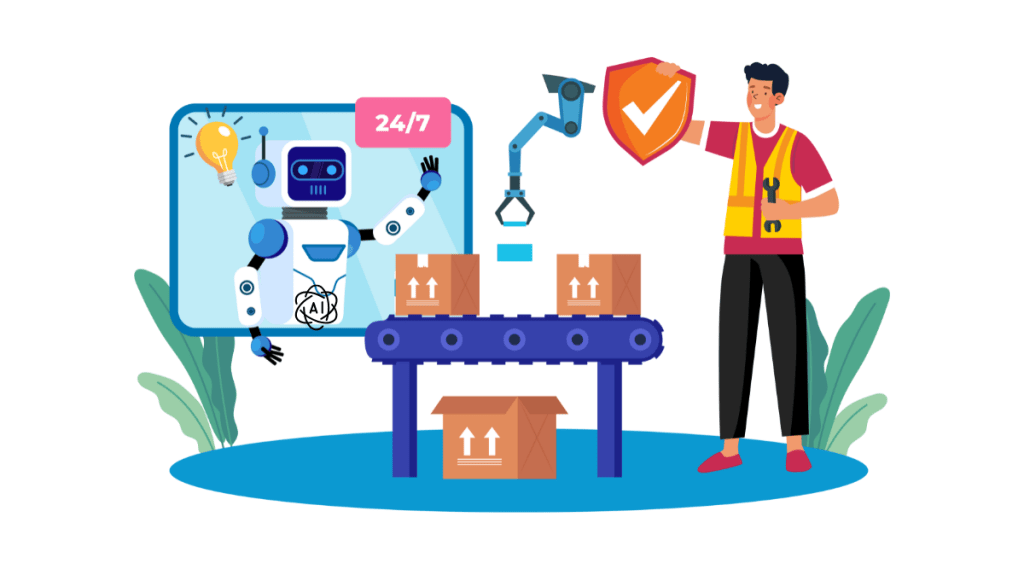
- 24/7 Availability: Automation tools can handle customer queries round the clock, ensuring customers receive immediate assistance regardless of time zones.
- Quick Resolution of FAQs: Many customer queries are common, such as “What are your working hours?” or “How can I reset my password?”. Automation tools can instantaneously send accurate responses to these questions.
- Ticket Routing: In situations where automated responses aren’t enough, these tools can efficiently route inquiries to the appropriate human agent, significantly reducing response times.
Managing Marketing Campaigns with Automation
Reply automation software is also transformative within marketing strategies, allowing businesses to execute and manage campaigns more effectively.
- Personalized Responses: Automation tools can customize responses based on customer segmentation and previous interactions, ensuring each customer receives relevant communication.
- A/B Testing: Businesses can leverage automation to test different response strategies, quickly identifying which approaches yield the highest engagement rates.
- Lead Nurturing: Automated follow-ups can nurture leads by sending timely, personalized messages that encourage conversion, ensuring no potential client falls through the cracks.
Streamlining Internal Communication Processes
Beyond customer interaction, reply automation significantly enhances internal communications.
- Meeting Schedules and Confirmations: Automated systems can manage meeting requests, confirmations, and follow-ups, freeing staff from routine scheduling tasks.
- Project Updates and Alerts: Automation tools can be set to notify team members about project milestones, deadlines, and updates, ensuring everyone is informed and aligned.
- Employee Onboarding: New hire integration becomes seamless with automated replies that provide them with necessary resources and answered questions regarding procedures and company policies.
How to Implement Reply Automation Software Successfully
Steps to Ensure a Smooth Transition to Automation
Introducing automation software into your workflow requires careful planning to maximize its benefits and minimize disruptions.
- Assessment of Needs: Evaluate the existing processes that would benefit the most from automation. Focus on areas with the highest volume and repetition.
- Vendor Selection: Choose a tool that aligns well with your business requirements, such as aibdr.co, known for its robust feature set and reliability.
- Pilot Testing: Initiate a trial run in a controlled environment to understand how the tool interacts with your existing systems and processes.
- Feedback Collection: Gather insights from users to identify challenges and areas for improvement, refining the setup accordingly before full-scale implementation.
Training Staff to Work Effectively With Automation Tools
While automation tools are designed to simplify processes, proper training is crucial to fully leverage their capabilities.
- Comprehensive Training Sessions: Conduct detailed training to familiarize staff with the tool’s functionalities and their integration into daily tasks.
- Continuous Learning Opportunities: Provide access to resources such as webinars and tutorials that offer deeper insights into advanced features.
- Creating a Supportive Environment: Encourage a culture of collaboration where employees share automation tips and solutions to common challenges.
Measuring the Impact of Automation on Business Processes
After implementing automation tools, it’s essential to evaluate their effectiveness and refine their application continuously.
- Establish Key Performance Indicators (KPIs): Set clear KPIs such as response times, customer satisfaction scores, and operational efficiency metrics to monitor progress.
- Regular Review Cycles: Conduct periodic assessments of automation tools’ performance to ensure they continue to meet evolving business needs.
- Customer Feedback: Collect and analyze customer feedback to determine how automation tools impact customer satisfaction and brand perception.
Overcoming Common Pitfalls in Reply Automation
Avoiding Over-Automation: Keeping the Human Touch
One of the potential downsides of automation is losing the personal touch that is often integral to effective communication.
- Balance Automation and Personalization: Customize automated responses to reflect your brand voice and include elements that resonate emotionally with recipients.
- Escalation Protocols: Design systems that identify when a human intervention is necessary, ensuring complex or sensitive issues receive personal attention.
Data Security Considerations for Automated Systems
The integration of automation tools introduces new data security challenges that businesses must address proactively.
- User Authentication: Implement strong authentication protocols to prevent unauthorized access.
- Data Encryption: Utilize encryption technologies to protect sensitive information both in transit and at rest.
- Regular Audits: Conduct regular security audits to identify and rectify vulnerabilities, maintaining robust data protection compliance.
Ensuring Reliable and Uninterrupted Services
Reliability is paramount in the performance of automation tools, as downtime can disrupt communication flows significantly.
- System Redundancy: Establish backup systems to maintain service continuity in case of technical failures.
- Performance Monitoring: Use monitoring tools to track and optimize system performance, ensuring quick resolution of issues that may arise.
- Vendor Support: Choose vendors that offer responsive support services, such as aibdr.co, which helps address technical challenges promptly.
Future Trends in Reply Automation for Businesses
The Role of AI Advancements in Reply Automation
AI is the engine driving the next generation of reply automation tools, and advancements in this field are set to revolutionize many aspects of business communication.
- Improved Natural Language Processing (NLP): As NLP technologies advance, automated tools will be better equipped to understand and respond to complex queries in a human-like manner.
- Adaptive Learning Systems: Future tools will leverage AI to learn continuously from interactions, offering increasingly intelligent and personalized responses.
Predicted Developments in Automation Technology
With the rapid pace of technological innovation, the landscape of reply automation is poised for several significant developments.
- Voice-Activated Responses: The incorporation of voice recognition could allow automation tools to handle spoken commands and queries, expanding their usability beyond text-based communication.
- Augmented Reality (AR) Integration: Integration with AR technologies could facilitate more interactive and engaging responses, particularly in customer support scenarios.
Preparing Your Business for Future Integration
Staying ahead of technology trends is critical for sustainable growth and competitive advantage.
- Scalability Considerations: Ensure that chosen technology platforms are scalable, preparing your business for future growth and increasing communication demands.
- Innovation Culture: Foster a culture that embraces innovation, encouraging employees to seek creative solutions and share technological insights.
- Vendor Partnerships: Collaborate closely with technology vendors to stay informed about new features and updates, customizing tools to fit future needs.
By understanding and preparing for future trends, businesses can position themselves to exploit the full potential of reply automation, enhancing their communication strategies competitively.
Conclusion
As we cast our eyes towards the horizon of 2024, it’s evident that reply automation software is no longer a mere convenience—it’s a necessary ally in the quest for effective business communication. With tools like Floworks.ai and Aibdr.co leading the charge, businesses are equipped not just with functionality, but with the ability to transform their communication protocols and approaches.
Embracing automation can radically redefine how businesses manage communication, reducing errors and minimizing response times. It can empower teams to focus on strategic initiatives rather than routine responses, thereby enhancing productivity and client satisfaction. Furthermore, by selecting tools that offer strong AI capabilities, robust customization options, and seamless integration with existing systems, businesses can tailor their automation strategy to meet specific needs, ensuring a fluid transition that preserves the personal touch that clients appreciate.
Ultimately, by carefully choosing and implementing reply automation solutions, businesses can not only maintain but improve the quality of their interaction across different channels. As the landscape continues to evolve, staying informed and adaptable will be crucial, ensuring that companies can leverage new advancements to keep pace with emerging trends and demands.
Let the growth journey begin with insightful selections and strategic implementations of automation tools, paving the way for a future where communication is both efficient and enriching.
FAQs on Reply Automation Software
What is reply automation software, and how does it work?
Reply automation software is a tool that automates responses to emails and other forms of communication. By using AI and machine learning algorithms, it can understand the context and tone of messages to generate appropriate replies. This technology streamlines communication, ensuring timely and consistent responses to high volumes of inquiries, thus enhancing overall efficiency.
Can automation replace human interaction completely?
While automation can handle routine and predictable communication tasks, it doesn’t entirely replace human interaction. It excels in managing high volumes of queries and ensuring instant responses, but complex and nuanced interactions still benefit from a human touch. Organizations should aim to balance automation with human engagement to maintain personalized and empathetic client relations.
How do I choose the right tool for my business?
Choosing the right tool depends on your business needs and operational scale. Critical factors to consider include the tool’s ease of use, AI capabilities, customization options, and integration with existing systems. Look for software that aligns with your current infrastructure and can scale seamlessly as your business grows. Tools like Floworks.ai, with its robust capabilities, offer a sound choice for many businesses seeking to enhance their automation strategy.
What are the main benefits of implementing email reply automation?
The primary benefits include increased productivity, improved client satisfaction through faster response times, and cost reductions in managing communications. It allows your team to devote more time to tasks that require critical thinking, while routine queries are handled efficiently by the software. This dual approach can significantly impact both employee morale and client relations positively.
How do I ensure data security when using reply automation tools?
Ensuring data security involves choosing software vendors that prioritize data protection through encryption and comply with industry regulations such as GDPR. Regularly updating the software, training employees on data security best practices, and reviewing vendor security policies are essential steps. Always look for transparency and strong security measures from your service provider to protect sensitive communication information effectively.




 blog.aibdr.co
Leave a comment